
3D scan processing
3D scan processing in the browser
Open the scans your scanners already produce, repair them, register them, measure them and get them ready for design or printing. Cympha Studio is a browser viewer for DICOM and dental mesh files, and a set of software tools for everything around dental CAD. Free, no install.
Open any dental mesh
STL, PLY and OBJ from any intraoral or desktop scanner, with an optional photo texture, plus OrthoPlus .gvw cases, .pac archives and Studio's own .cyp projects. Open from your disk, by drag and drop, from a link or from a Cympha case.
Session restore
Your scene is kept in the browser as you work, so closing the tab and coming back later picks up where you left off.
Projects
Save a .cyp project that keeps the meshes, the CBCT and the photos together, and reopen it later.
Download
Download any mesh as STL or PLY after you have worked on it.
Share
Share a case link by email, the system share sheet or the clipboard, so a colleague opens the same scene in their browser.
Model repair
Right-click a model and choose Model fixing. One click repairs the whole scan; brush tools fix one spot.
Fix model
Fills holes, removes non-manifold geometry, keeps the largest piece and smooths, in one step.
Smart cleanup
Brush over a defect. Studio decides whether to cut and refill or to smooth in place.
Delete region and area touchup
Delete the painted area and fill it, or reshape it towards its boundary without deleting anything.
Local smoothing, fill holes, smooth
Smooth only where you paint, or fill and smooth the whole model.
Attachment removal
Drag a box over a bracket or attachment; Studio patches, fills and smooths the surface.
Make dental model
Close an open scan into a solid base along a direction you choose, ready to print.
Geometry changes can be undone with Ctrl+Z.
Registration and measurement
Register to another mesh or to the CBCT
Pick three or more matching points; Studio fits them and then refines the fit onto the surface.
Distance
Measure between two points in millimetres on a mesh or in the CBCT.
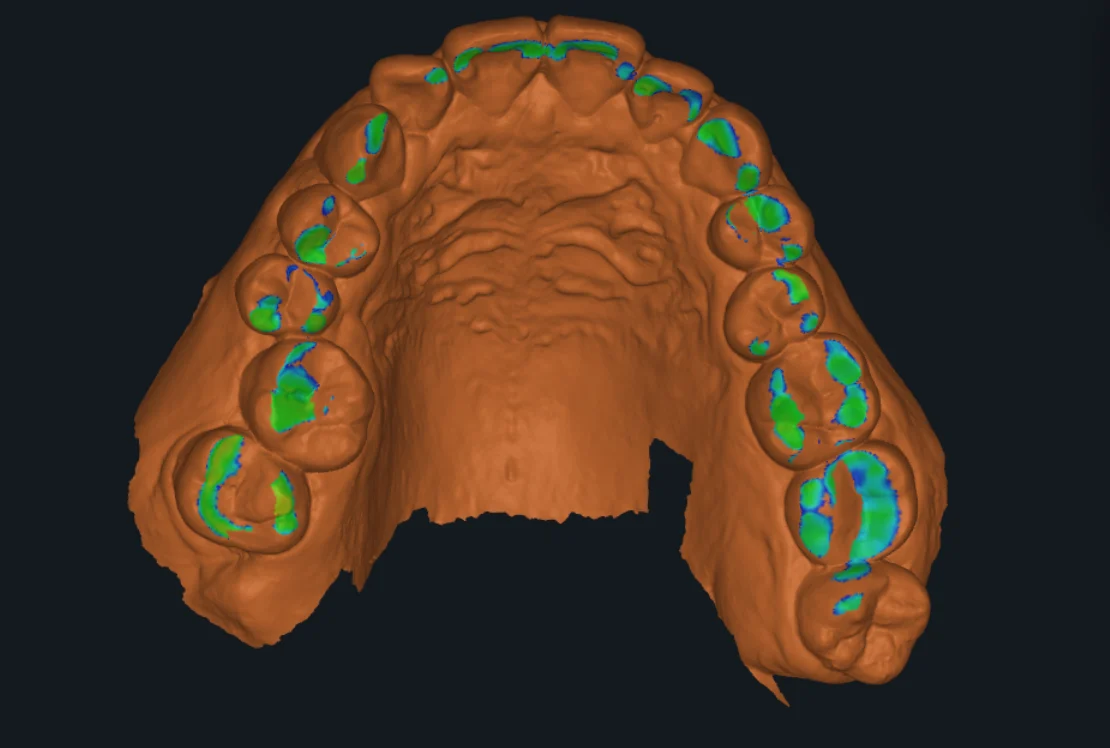
Distance map
Colour one mesh by its distance to another, or show gaps and collisions on a 1 mm scale, for deviation checks between a scan and a design.
Cross-sections
Show a mesh's outline in the CBCT slice views.
Positioning
Move and rotate any model with a gizmo and step sliders.
Texture from a photo
Project a photograph onto a mesh and download the textured model as PLY.
On the same scene
Everything here works alongside Studio's other tools: load a CBCT next to the scans, simulate the bite between two arches, add photos to the case gallery, and send the scene to a Cympha case for the lab.
Questions about scan processing
- Which scanners' files can I open?
- Any scanner that exports STL, PLY or OBJ, intraoral or desktop. Studio also opens OrthoPlus .gvw cases and DICOM from a CBCT.
- Do my scans get uploaded?
- No. Scans are processed in your browser. They go to Cympha only when you choose to save them to a case or share them.
- Can I make a printable model from an open scan?
- Yes. Make dental model closes the open boundary into a solid base along a direction you set.
- Does Cympha Studio cost anything?
- No. Studio is free. Saving to a Cympha case, and a few of the editing tools, ask you to sign in with a Cympha account.
- Does it work on a tablet?
- Studio runs in any modern browser. Some brush tools and project saving need a desktop-width screen.
Open a scan in Cympha Studio
Drop an STL, PLY or OBJ into the browser and start with Fix model.